

Want to find someone’s contact details on LinkedIn without connecting? You’re not alone! While LinkedIn keeps most contact info private, there are smart ways to access what you need.
It’s like being a professional detective – you’ve got to know where to look and which tools can help.
Now, before you start reaching out to potential leads or dream employers, let’s explore some proven strategies that won’t get you flagged by LinkedIn’s radar.
1. Manually Check Contact Info On LinkedIn
Three steps are all you need to check someone’s contact info on LinkedIn manually – but don’t get too excited just yet!

Simply visit their LinkedIn profile, click the contact details button, and hope they haven’t hidden their information.
See, while this email finder method is free, it’s far from perfect for serious lead generation and prospecting.
Now, here’s the frustrating part: even when you do find mobile phone number or other contact details, there’s no guarantee they’re current!
Remember, manual work like this becomes incredibly time-consuming when you’re trying to scale your efforts.
Plus, the data accuracy is questionable at best – outdated phone numbers and emails are common on LinkedIn profiles.
You’ll likely spend hours clicking through profiles only to end up with unreliable contact information.
There’s got to be a better way!
2. Bulk Phone Finder
Looking for a faster way to find phone numbers? Bulk phone finder tools can help you scale your contact information gathering from LinkedIn, though they’re not perfect.
Here’s how it works: export your leads from Sales Navigator as a CSV file, then upload it to platforms like Evaboot or Datagma for data enrichment.

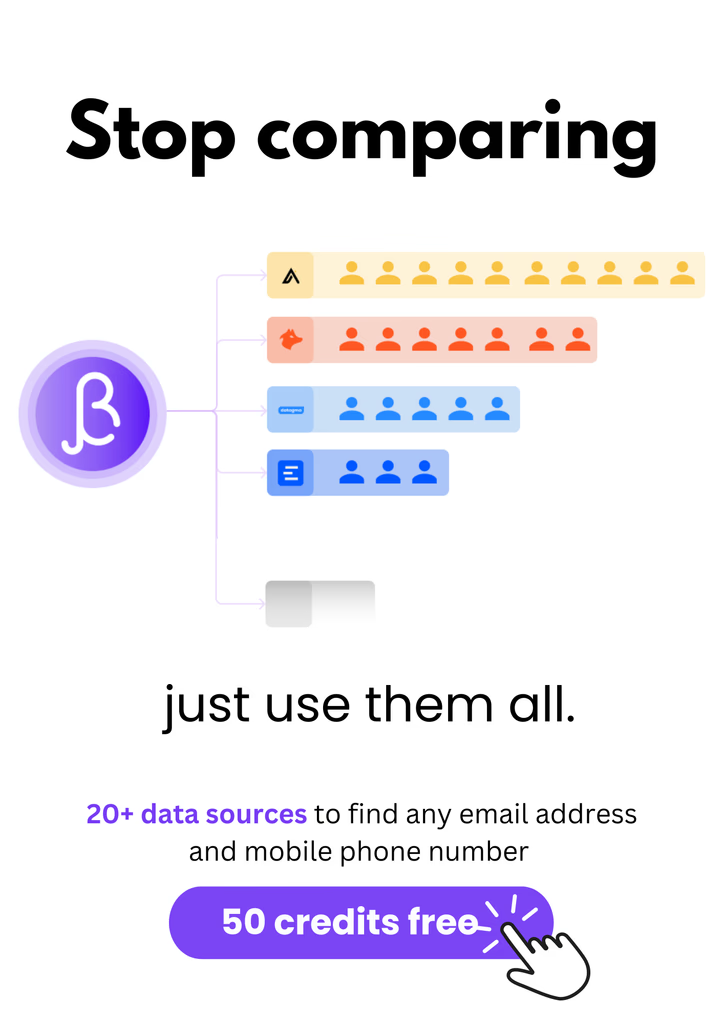
Fun Fact: If you use BetterContact you’ll get access to Datagma plus 20 more data providers.
While automation tools like these sound promising, lead generation specialists should note some drawbacks. The process isn’t fully automated – you’re still juggling spreadsheets!
Plus, data privacy concerns and compliance issues with GDPR and CCPA can be tricky to navigate. Integration with your CRM? Often limited or non-existent.
See, it’s faster than manual searching, but there’s still room for human error. Remember, some databases only provide personal data, not company information. Not exactly the perfect solution!
Workflow
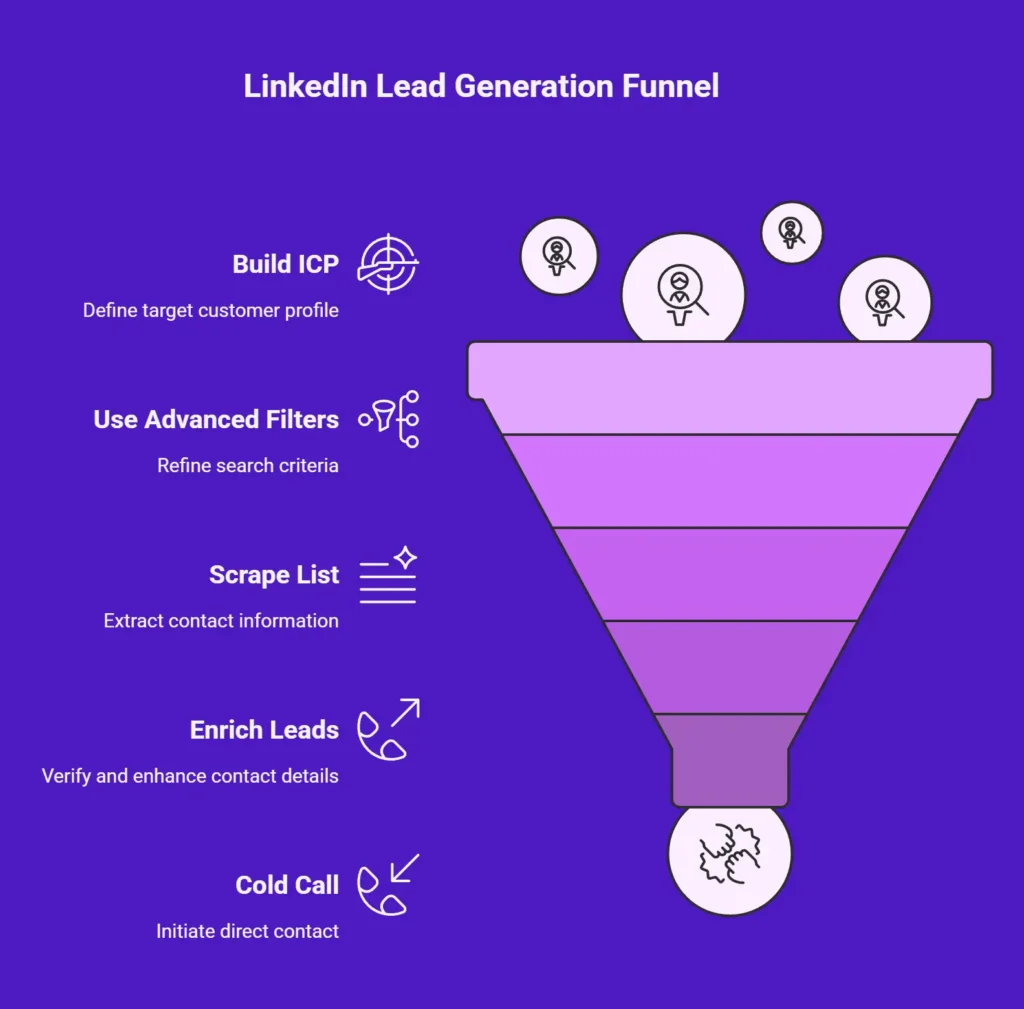
- Build your Ideal Customer Profile (ICP) in LinkedIn Sales Navigator.
- Use advanced filters (industry, role, geography, company size) to create targeted lists.
- Scrape the list using Scrupp.com.
- Enrich leads with BetterContact to find verified phone numbers from LinkedIn.
- Cold call the ear outta them.
3. Waterfall Enrichment For Phone Numbers
Bulk phone finders not quite cutting it?
Let’s talk about waterfall enrichment – it’s like having multiple lead generation & acquisition channels working together to find those elusive phone numbers!

See, tools like Clay use automation platforms to search across various data providers until they find a verified phone number for your LinkedIn prospect. It’s way more effective than manual searching!
Now, instead of checking multiple contact information tools separately, waterfall enrichment automatically cascades through databases to find what you need.
Here are the workflows we use at BetterContact for the perfect waterfall enrichment process:
Workflow #1: Contact Data Enrichment via Clay

- Create Clay Table
- Insert your Domains.
- Create apollo and connect your Apollo API key in clay.
- Use Apollo “Find People at Company By Job Title” feature to build your ideal customer profile Lead List (ICP)
- Then use clay “Find Contacts at Company” features to fill the ICP Apollo missed.
- Download the entire ICP people CSV (OR, you can use BetterContact inside but it’ll cost you more)
- Push the CSV into BetterContact to find anyones mobile phone numbers or email addresses.
Workflow #2: Get Phone Numbers Using Sales Nav
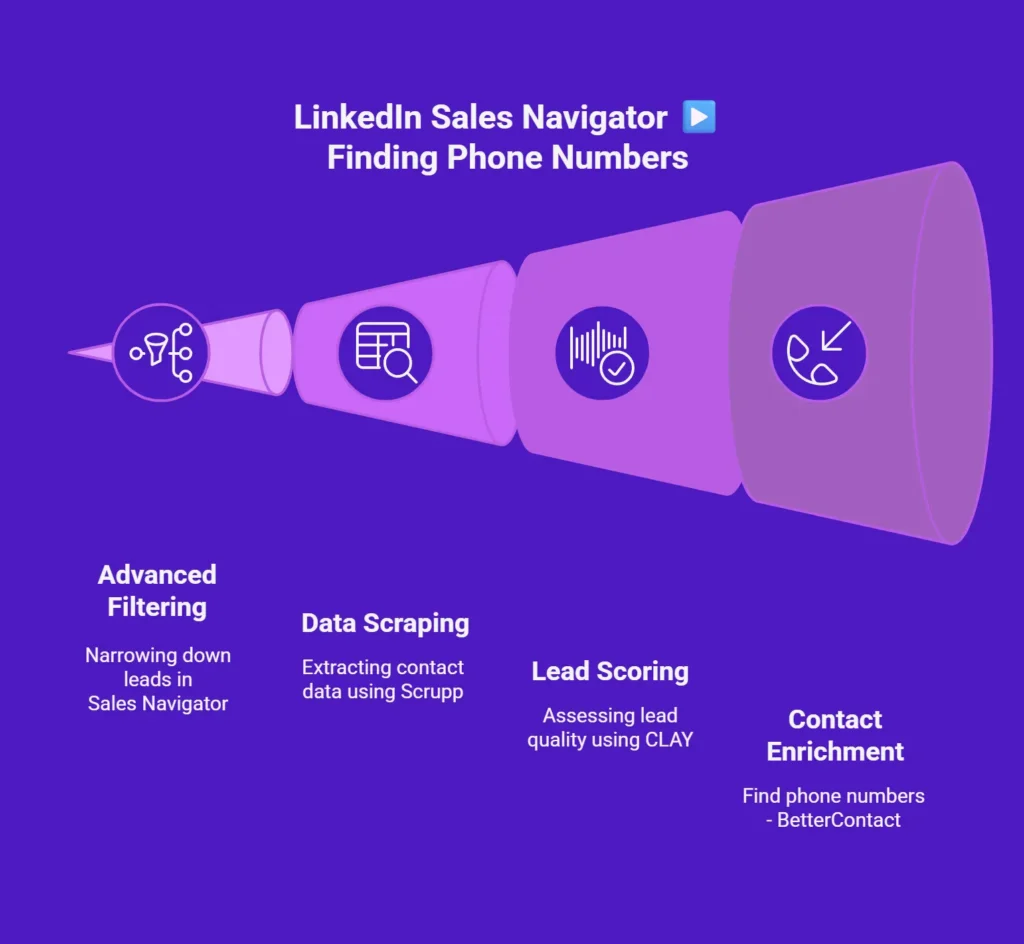
- Build your Ideal Customer Profile (ICP) in LinkedIn Sales Navigator.
- Use advanced filters (industry, role, geography, company size) to create targeted lists.
- Scrape the list using Scrupp.com.
- Score the leads using Clay for absolute accuracy.
- Upload the CSV into BetterContact to get the Phone Numbers from LinkedIn profiles.
- Fire up your cold call tech stack and call away.
Workflow #3: Get Phone Numbers Without LinkedIn Using Apollo
- Build your Ideal Customer Profile (ICP) in Apollo
- Use ExportApollo/TheBoomerang.co to build a lead list.
- Double-check & reduce the lead lists ICP, ensuring absolute accuracy.
- Upload the CSV into BetterContact to get the Phone Numbers
- You already have verified mobile phone numbers, so skip verification tools
- Enrich lead data with research on ICP pain points using Clay
- Open up your cold call software > Call them.
- Watch your closing rate improve.
Workflow #4: Data Enrichment For Verified Emails Without Linkedin
- Build your Ideal Customer Profile (ICP) in Apollo
- Use ExportApollo/TheBoomerang.co to build a lead list.
- Double-check & reduce the lead lists ICP, ensuring absolute accuracy.
- Upload the CSV into BetterContact to get the Phone Numbers
- You already have verified mobile phone numbers, so skip verification tools
- Enrich lead data with research on ICP pain points using Clay
- Cold Email awayyy…
Workflow #5: Data Enrichment For Verified Emails via Sales Navigator
- Build your Ideal Customer Profile (ICP) in LinkedIn Sales Navigator.
- Use advanced filters (industry, role, geography, company size) to create targeted lists.
- Scrape the list using Scrupp.com OR Vayne.io.
- Do Lead Scoring using Clay.
- Upload the CSV into BetterContact to get double-verified Emails from LinkedIn profiles.
- To take it up a notch Cold Email them awayyyy….
How To Make The Most Of The Contact Info From LinkedIn
Once you’ve tracked down those valuable LinkedIn contacts, it’s time to turn those connections into genuine business relationships! Start by leveraging LinkedIn Sales Navigator to identify your perfect prospects and understand their needs better.
Now, here’s where the magic happens: Use email lookup tools to verify contact information, then create personalized communication that shows you’ve done your homework.
Remember, automated prospecting tools like Expandi can help you scale your outbound lead generation while keeping it personal!
The key is smart lead management & nurturing – don’t just collect data and forget about it. Stay organized with contact information tools and services, ensuring your data management and compliance are exceptional.
This way, you’ll build a sustainable pipeline of warm leads who actually want to hear from you!
Top 3 Ways To Get A Good Start In Your Calls
Now that you’ve got those LinkedIn contacts, let’s make sure your calls start strong and end with success!
See, the difference between a great call and an awkward hang-up often comes down to three key factors: knowing your contact’s background cold, having a confident script ready (just in case your mind goes blank), and nailing that essential opening line that’ll grab their attention.
1. Know Who You’re Talking To
Before picking up the phone or sending that first message, you’ll want to become a LinkedIn detective!
When it comes to sales prospecting and cold outreach, understanding your target audience is essential.
Start your market research by thoroughly examining their profile. Has your lead recently changed jobs? How long have they been in their current role? Look for key achievements, shared interests, and group memberships – these details are gold for personalisation!
Pay special attention to their activity: recent posts, article shares, and comments can reveal their priorities and pain points.
Workflow: Research Your Prospects
- If you’re selling website design, you can audit their site’s AI with Vision in N8N to qualify them, then share a Figma file value.
- If you’re selling ADs, find their ad data using Adyntel. Then offer an audit.
- If you’re selling SEO find their ad data using DataForSEO or Semrush. Then offer an SEO audit.
- If you’re selling PR, use Clay to find their recent news or other information. Offer a free feature.
- If you’re selling site speed optimization, build a report using Google Page Speed Insights or GTmetrix. Offer a site report checklist.
- If you’re selling cybersecurity, run an audit using Beagle Security to offer a consultation.
2. When In Doubt, Script It Out
While spontaneity can work in sales calls, having a well-crafted script is like having a trusty GPS to guide you through tricky conversations!
When it comes to LinkedIn best practices and outreach strategies, you’ll want to master the art of personalized messages.
Here’s a proven cold calling script that’ll boost your automation capability and contact enrichment efforts:
Start with a quick introduction of yourself and your company, ask for 30 seconds of their time, state your purpose clearly, deliver a compelling value pitch, and end with a specific call-to-action.
See, it’s that simple!
3. Find The Right Opening Line
Three key seconds – that’s all you’ve got to make a lasting impression on your LinkedIn prospect! The good news? You can nail that vital opening with these proven approaches.
First, be relevant by mentioning a mutual connection or shared professional interest – it instantly builds trust.
Next, project confidence through your voice while staying focused on them. Remember, it’s not about selling; it’s about understanding their needs and challenges!
The secret sauce? A perfectly tailored opening line that shows you’ve done your homework.
You’ll want to anticipate objections before they arise and have responses ready. See, when you combine genuine interest with thoughtful preparation, you’re not just another cold caller – you’re a potential valuable connection they’ll want to engage with!
To Wrap It All Up
Now you’ve got multiple ways to find those valuable LinkedIn contacts without direct connections! Remember, whether you’re manually checking profiles, using bulk phone finders, or trying waterfall enrichment, the key is to be strategic and persistent.
See, with these techniques in your arsenal, you’re ready to build your network and make those critical calls. Just be professional, respect privacy settings, and watch your outreach efforts soar!
FAQs
-
How Can I Find Someone’s Contact Info on LinkedIn Without Sending a Connection Request?
Find contact info on LinkedIn by checking the “Contact Info” section, exporting leads via Sales Navigator, and enriching them through BetterContact. Its waterfall enrichment connects 20+ data sources, getting 98.5% verified phone numbers and contacts without needing a connection request.
-
What’s the Most Efficient Way to Collect Accurate Phone Numbers from LinkedIn?
Collect accurate phone numbers from LinkedIn by exporting leads from Sales Navigator and enriching them through BetterContact. The platform cross-verifies data across 20+ providers, using geo-match and activity scoring to ensure 99.5% phone accuracy, cutting manual prospecting time by 70%.
-
How Do Recruiters Find Verified Phone Numbers from LinkedIn Profiles?
Recruiters find verified phone numbers from LinkedIn using enrichment tools like BetterContact. It applies multi-layer verification and activity scoring to ensure each mobile number is valid and active, giving recruiters up to 1.6× more reachable prospects compared to manual or single-source tools.
-
How Can Small Businesses or Agencies Scale LinkedIn Lead Generation Safely?
Scale LinkedIn lead generation safely by combining Sales Navigator with BetterContact’s waterfall enrichment. This workflow automates lead scraping, data verification, and CRM syncing while maintaining GDPR compliance, allowing agencies to enrich hundreds of LinkedIn leads daily without risking account restrictions.
-
What’s the Best Way to Organize and Manage Contact Data from LinkedIn?
Organize LinkedIn contact data using BetterContact’s Google Sheets app or HubSpot AutoEnrich. Both sync verified emails and numbers automatically, preventing duplicates and ensuring fresh data every 30–90 days. This workflow keeps pipelines current and compliant with data privacy laws.
-
Why Is My LinkedIn Lead List Missing Valid Emails and Phone Numbers?
LinkedIn lead lists often miss valid contact info because most users hide data or don’t update profiles. BetterContact solves this by sourcing from 3 billion+ records and verifying through 20+ databases, ensuring a 98.5% verified find rate for both emails and phone numbers.
-
How Do I Enrich LinkedIn Leads with Verified Business Emails?
Enrich LinkedIn leads by exporting your list and uploading it to BetterContact. Its AI waterfall process checks multiple sources like Apollo, Hunter, and RocketReach until a verified email is found, achieving 99.5% verification accuracy and global coverage across industries.
-
Can LinkedIn Sales Navigator Help Me Find Verified Contact Info?
LinkedIn Sales Navigator identifies prospects but doesn’t find verified contact info. Combine it with BetterContact to extract, enrich, and verify emails and phone numbers automatically. This integrated workflow transforms Sales Navigator lists into fully verified lead databases ready for outreach.
-
What’s the Best Workflow to Find Verified Phone Numbers from LinkedIn Profiles?
Build your ICP in Sales Navigator → export using Scrupp.com → upload CSV to BetterContact → enrich for verified mobile numbers. This four-step workflow uses geo-matching, carrier checks, and activity scoring to return only verified, active phone numbers. -
What Are the Best Tools for Enriching LinkedIn Leads at Scale?
The best tools for large-scale LinkedIn enrichment include BetterContact, Clay, and Apollo. BetterContact leads with 3 billion+ records, 20 data sources, and 99.5% verified accuracy. Its pay-per-result model ensures efficiency and affordability for agencies handling thousands of leads.
-
How Can I Reduce Costs When Using Multiple Email Finder Tools?
Reduce costs by replacing multiple subscriptions with BetterContact. Its unified enrichment system integrates 20+ data sources like Hunter and Datagma, charging only when a verified email or number is found. This cuts monthly lead acquisition expenses by up to 60%.
-
How Do I Verify If a Phone Number or Email Is Still Active Before Reaching Out?
Verify contact data through BetterContact’s activity scoring and carrier data validation. It checks carrier details, geographic match, and live network signals to confirm phone and email activity, ensuring 99.5% accuracy before outreach and preventing wasted calls or bounced emails.
-
How Can Enrichment Tools Improve Cold Call and Cold Email Success Rates?
Enrichment tools like BetterContact boost cold outreach success by providing only active, verified data. With 99.5% accuracy and verified inbox detection, campaigns reach the right recipients, increasing call connection rates by 45% and email reply rates by up to 30%.
-
How Does Multi-Layer Email Verification Prevent Bounced Emails?
Multi-layer verification checks each email via SMTP, catch-all validation, and ESP detection. BetterContact applies these layers to filter inactive or disposable addresses, maintaining over 99.5% deliverability and drastically reducing bounce rates across cold outreach campaigns.
-
What’s the Difference Between Phone Finder and Enrichment Platforms?
The main difference is depth. Phone finder tools only extract numbers, while enrichment platforms like BetterContact verify, score, and match contact data across 20+ sources. This delivers higher accuracy, global coverage, and actionable insights beyond raw contact data.
-
How Can I Use Waterfall Enrichment to Find “Untapped Leads”?
Use waterfall enrichment with BetterContact to uncover untapped leads. Its AI scans 20+ providers sequentially until a verified contact is found, increasing find rates to 98.5%. This multi-source approach gives access to data that most single-provider SDRs miss.
-
What Data Sources Give the Most Accurate Results for LinkedIn Prospecting?
The most accurate LinkedIn prospecting results come from combined data sources like Apollo, Hunter, ContactOut, RocketReach, and People Data Labs. BetterContact connects all these under one roof, verifying through 3 billion+ records to deliver unmatched accuracy at scale.
-
Which Platform Offers the Highest Verified Contact Rate for B2B Leads?
BetterContact offers the highest verified contact rate in B2B data — 98.5% verified emails and 99.5% verification accuracy. Its AI waterfall connects 20+ global data providers, ensuring unmatched precision and coverage for Europe, the U.S., and global markets.
-
Which Platform Offers the Highest Verified Contact Rate for B2B Leads?
BetterContact offers the highest verified contact rate in B2B data — 98.5% verified emails and 99.5% verification accuracy. Its AI waterfall connects 20+ global data providers, ensuring unmatched precision and coverage for Europe, the U.S., and global markets.
-
How Can I Get Verified Contact Data from Multiple Sources Without Multiple Subscriptions?
Access verified data from multiple sources through BetterContact’s all-in-one enrichment system. It integrates 20+ databases and charges only for verified results, eliminating the need for multiple tools or API setups. Ideal for agencies managing high-volume lead enrichment.
-
Which Contact Enrichment Tool Gives the Best Coverage in Europe and the U.S.?
BetterContact provides the best contact coverage in Europe and the U.S., sourcing from 3 billion+ records across 20 data providers. Its advanced AI selects the best source by region and industry, guaranteeing high accuracy and compliance for transatlantic outreach.